
Background Pull
What happens after the patient authorizes access and how to monitor record retrieval.
Background Pull is the server-side retrieval that starts after a patient authorizes a source. It turns portal access into records inside Medblocks.
What Starts A Pull
A pull starts when:
- A patient completes a Connect Session and a connection becomes active.
- An admin manually triggers retrieval for a patient.
- A scheduled or retry path finds pending retrieval work.
The first pull can take time. EHRs differ in pagination, supported resource types, rate limits, and response speed.
What Medblocks Pulls
Medblocks schedules FHIR queries for supported resource types for that source. The worker fetches resources, follows references where needed, stores raw FHIR resources, and records retrieval status.
The access token is refreshed before expiry when possible. If the refresh token is revoked or expires, the connection becomes refresh_failed.
Patient UI Guidance
Do not block the patient on full record retrieval. After authorization succeeds:
- Show that the source is connected.
- Explain that records are syncing.
- Let the patient connect another source.
- Use your backend or the dashboard to monitor record availability.
Dashboard Monitoring
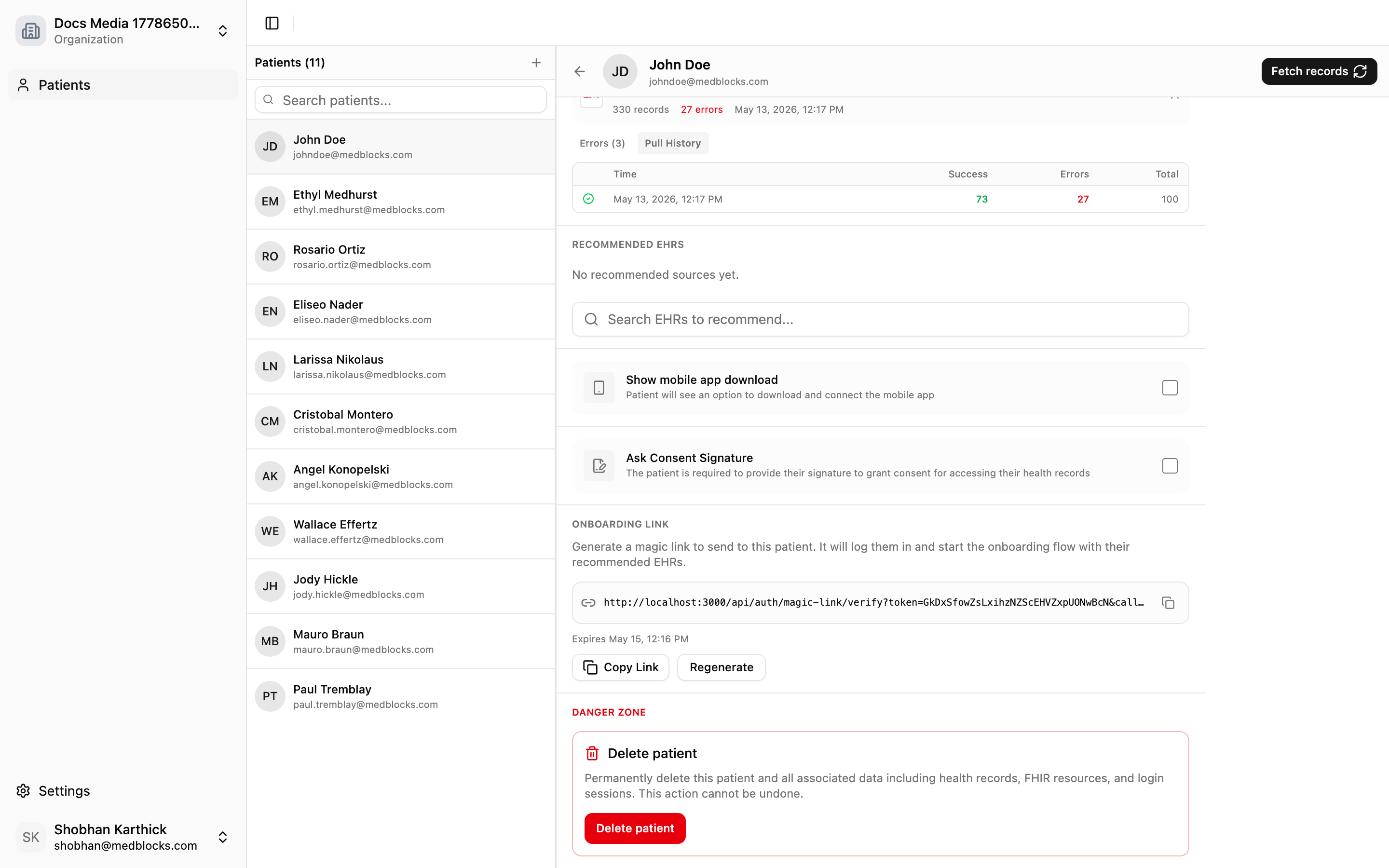
Open the patient detail page to inspect record status, latest pull time, per-account status, and pull history.
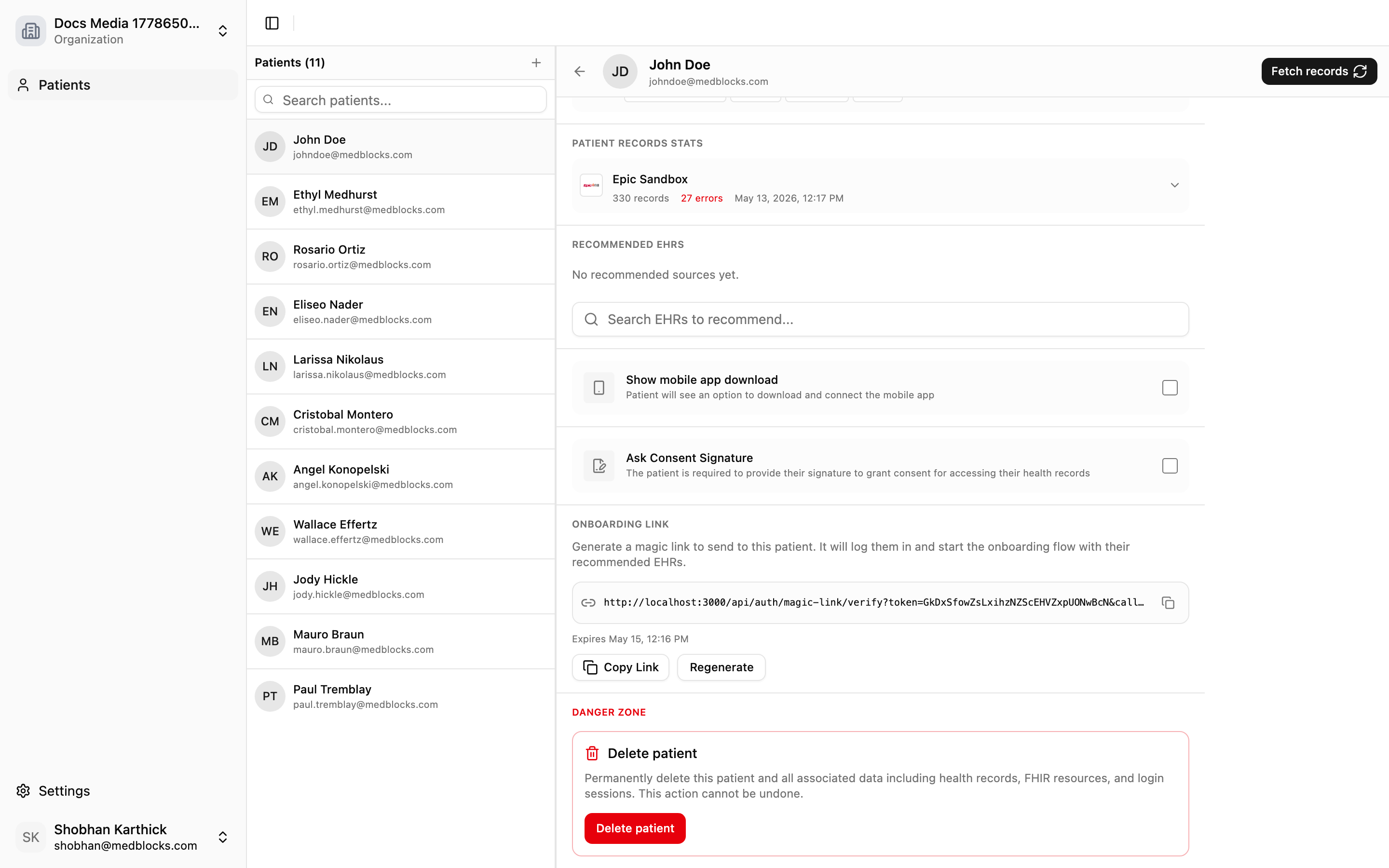
Use pull history when you need to see past attempts or understand a failure.
Failure Handling
| Failure | Meaning | Next step |
|---|---|---|
| Portal auth failed | The patient did not grant usable access. | Ask the patient to retry. |
| Retrieval error | The portal returned an error during FHIR calls. | Inspect the patient pull history. |
| Token refresh failed | Stored refresh token cannot be used. | Ask the patient to reconnect. |
| Destination export failed | Data landed but delivery failed. | Retry from the export destination detail page. |
Relationship To Export
Background Pull brings data into Medblocks. Export sends it out.
When a pull settles, enabled export destinations can receive the new data. A patient can be connected successfully even if an export destination later fails.
Related Guides
- Read Export for delivery semantics.
- Read Auth Event History for authorization debugging.